

“While you're here,can you take care of one more thing?”You do the work.Then the invoice goes out:“I thought that was included.”
The problem isn't the add-on. It's doing the work first and talking price later. When the scope changes, document the add-on, show the price, and get the customer's approval before you start the extra work. Aprovou Extra keeps the work, price, and customer decision in one clear record.
$12/month • Cancel anytime • Your customer doesn't need an account

The work is already done.
Now the price is the negotiation.
- Remembering what was said.
- Digging through old texts.
- Explaining the price.
- Justifying the add-on.
- Trying to collect without a fight.
The conversation that should have happened first
now happens last.
You're not losing money because you do bad work.
You lose it when the job changes and the agreement doesn't.
The customer asks. You say yes. The work gets done.
Only then comes the question that should have been answered first: “How much is this going to cost?”
That's when the invoice becomes the negotiation.
The add-on isn't the problem.
The problem starts when it's time to get paid.
“I thought that was included.”
They remember it differently than you do — and nobody's lying.
Price was only discussed verbally.
With no record, it becomes your word against theirs at invoice time.
Small unpaid add-ons quietly hurt your margin
By month's end, what never got billed is real lost income.
You don't have to work for free to keep being a good professional.
The problem isn't a bad customer.
It's handling a scope change like a casual conversation.
Change one thing:
get the add-on approved before you do it.
It isn't about distrusting the customer. It's about making what changed, what it costs, and whether it's approved clear before you start.
From “we'll figure it out later” to a clear approval before the work starts.
The same job, done two very different ways.
- Verbal agreement
- Scattered texts
- Price discussed later
- Work completed first
- Awkward invoice conversation
- Description
- Price
- Photos
- Link
- Customer decides
- Record saved
Same job. One huge difference: the price was agreed on first.
How it works on the job
Five steps, from the customer's request to an approval link.
- 01
Context
Pick the customer, the property, and the job the add-on came up on.
- 02
Extra
Describe the add-on work, set the price, and add an estimated time if you want.
- 03
Photos
Attach up to 3 photos so the customer sees exactly what they asked for.
- 04
Review
Double-check the description, price, timing, and photos before sending.
- 05
Share
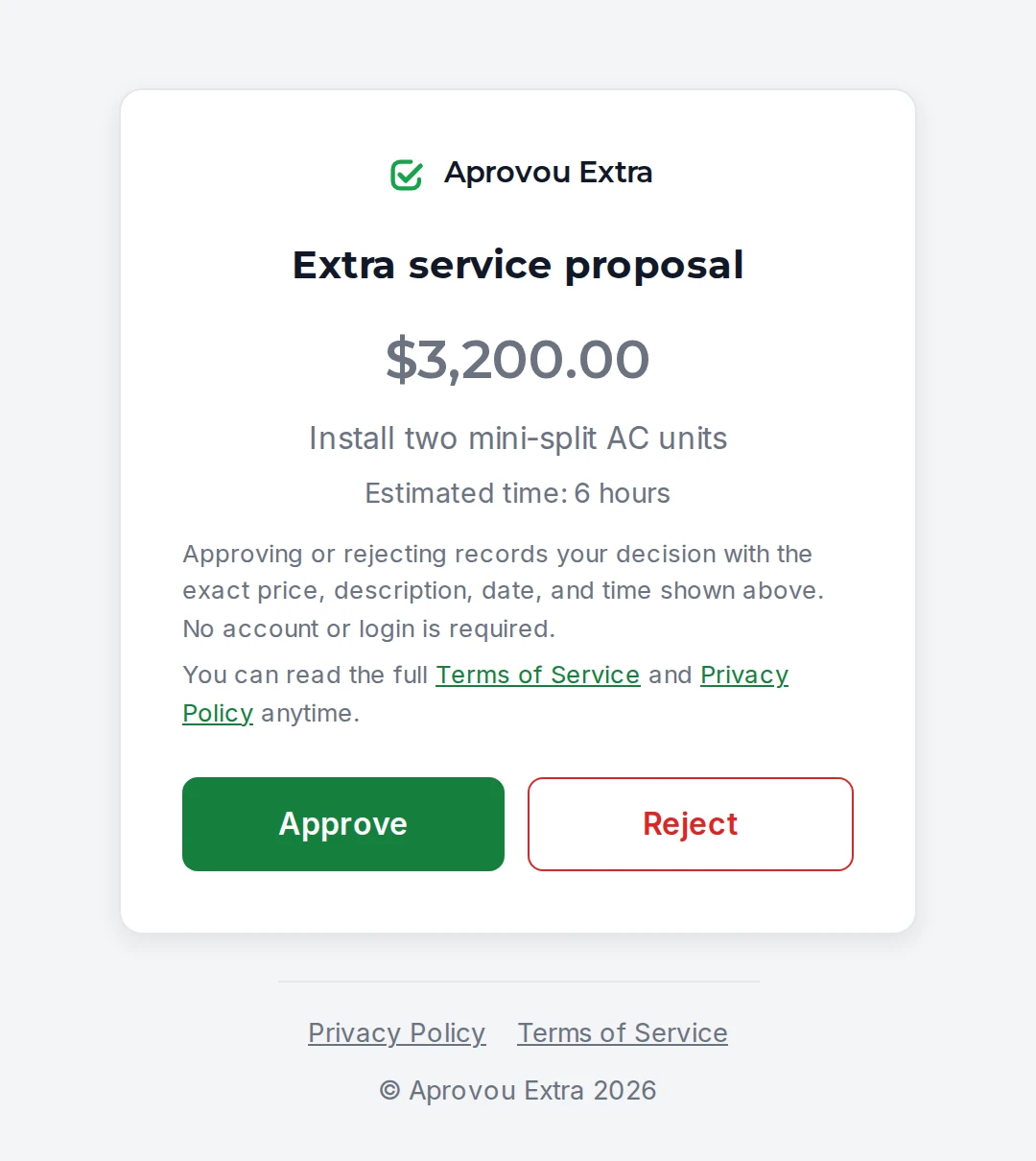
Text the link. Your customer approves or rejects it — no account, no app.

Don't negotiate the add-on after the work. Get the decision before you start.
One direct flow: you log it, the customer decides, the agreement is on record.
Logs the add-on
- Description
- Price
- Photos
Approval link
- Decision request
Decides
- Sees the scope
- Sees the price
- Approve
- Reject

The decision is on record. And it stays clear after the job.
What happens after your customer approves or rejects — all through the same link.
Decision receipt
What was approved or rejected, with the date and time. Your customer can print it or save it as a PDF.
A history for every add-on
Each add-on keeps the proposal, the decision, and what happened next, so you can look it up anytime.
Customer request recorded
If your customer flags an issue with the proposal, the request is recorded. When needed, you can create a revised proposal while the previous history stays preserved.
A revised proposal when the price changes
If the price or description was off, send a revised proposal for approval. The original decision stays on record.


For pros who work on-site at the customer's home or business
Painters · Electricians · Plumbers · HVAC techs · Handymen · Remodelers & general contractors · Other home-service pros
“But I already text everything to the customer.”
Texts are great for talking. They're not a system for tracking approved add-on work.
No. You're not accusing anyone of anything.
- What changed
- What it costs
- A decision before the work starts
That's not awkward. That's professional.
What's one unpaid add-on worth?
1 unpaid $75 add-on
Work already done
$12/month
= more than 6 months of Aprovou Extra
One small unpaid add-on can cost more than months of a better process.
Illustrative comparison. No guarantee of payment or savings.
Get add-on work approved before you start. Every job, every month.
- Price approved before you start
- Everything recorded in one place
- Customer decides with no account needed
$12/month
- Add-ons tied to the customer, property, and job
- Price and estimated time before you start
- Up to 3 photos per add-on
- An approval link you can text — no account for your customer
- A receipt and history for every decision
- Customer requests and revised proposals in one place
Cancel anytime.
Payment
Payment processed by Hotmart.
No account for your customer
Your customer approves or declines through the link — no account needed.
Frequently asked questions
What if the customer rejects it?
The rejection is recorded too. You find out — before spending time and materials — that this specific add-on wasn't approved, and can decide what to do from there.
What if my customer flags a problem after deciding?
Through the same link, your customer can report a problem with the decision, and the request is recorded on the add-on. If the price or description was off, you can create a revised proposal for approval — the previous history stays preserved.
Can my customer keep a copy?
Yes. After the decision, your customer sees the receipt through the same link — what was approved or rejected, with the date and time — and can print it or save it as a PDF from their browser.
Does the approval link expire?
Yes. Every link has an expiration date, and you can cancel it before a decision is made. A decision that's already on record stays in your history.
Does my customer need an account?
No. The customer approves or declines through the link, right in their phone or computer browser, with no account and no app install.
How does billing work?
A monthly subscription of $12, processed and billed by Hotmart.
Can I cancel anytime?
Yes. Cancellation is handled directly in your Hotmart account, at any time.

The next add-on could happen on your very next job.
Next time you hear:
“While you're here, can you also do this?”
Do the extra work.
Just get it approved first.
Get my add-ons approved first$12/month • Cancel anytime • Your customer doesn't need an account